Sources checked October 25, 2026.
The short answer
Mouse double clicking on its own almost always comes down to a worn mechanical switch. The metal contacts inside it no longer close cleanly, so one press reaches the PC as two. Before you blame the hardware, rule out a Windows setting and a bad port. Then try a longer debounce time if your software has one. If that fails, it's a warranty claim, a switch replacement or a new mouse.
Optical, Hall effect and inductive switches don't rely on metal contacts touching, so they can't fail the same way. They aren't the same technology, though. Logitech's Superstrike mice are often called "magnetic" or "Hall effect" (Tom's Guide's own X3 review calls the switches magnetic), and they're neither: Logitech describes its HITS system as inductive. And the "up to 30 ms" advantage attached to it is a Logitech claim that no independent measurement we found has reproduced.
Your mouse is double-clicking: what to check first
Work through these in order. The first three cost nothing.
- Check Windows settings. Open Settings, then Bluetooth & devices, then Mouse, then Additional mouse settings. If the double-click speed slider sits at the slow end, two separate clicks can register as a double-click. Also make sure ClickLock is off, and check File Explorer's folder options: if "single-click to open an item" is on, every click opens files, which looks a lot like a double-click fault.
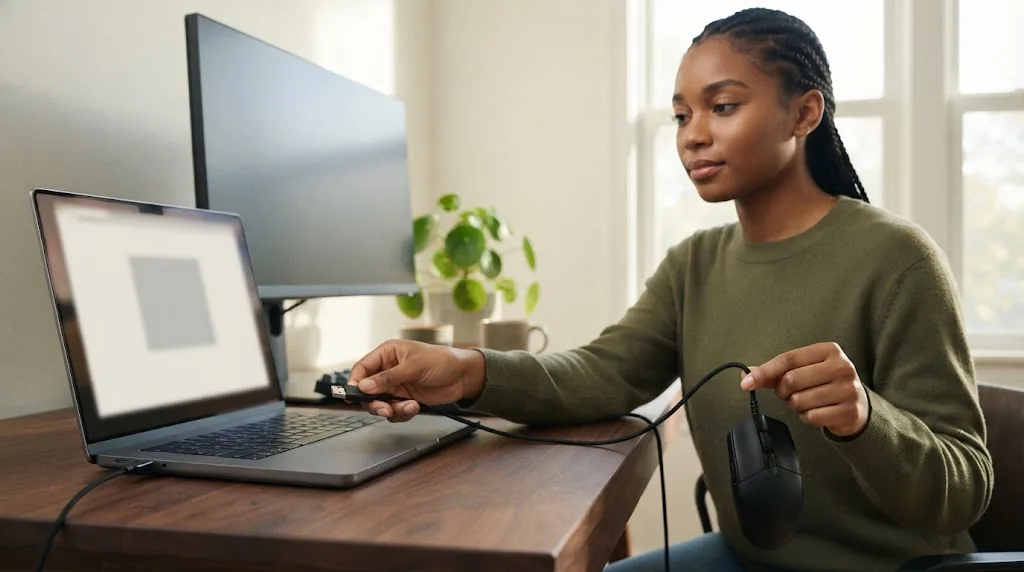
- Change the port, cable or receiver. Plug the mouse straight into the PC (not a hub or monitor port), try another USB port, and for wireless models, move the receiver closer with the extension adapter. Then test it on a second computer. If the fault follows the mouse, it's the mouse.
- Raise the debounce time. If your mouse software has a debounce or "click delay" setting, increase it a few milliseconds at a time. It filters the extra signal from a tired switch but adds click delay, so it's a stopgap.
- Clean around the button. Compressed air around the button edges can clear grit. Don't open the shell yet: it can complicate a warranty claim.
- Claim the warranty. Warranty length and terms vary by brand and region, so check the maker's support page with your purchase date in hand. Describe the fault as "registers one press as two clicks" and include a short video from an online click tester.
- Repair or replace. Since January 23, 2025, Logitech sells original replacement parts and repair guides for more than 20 devices through iFixit's Logitech Repair Hub in 62 countries, including the Pro X Superlight, G305, G Pro and G502 Hero, according to Logitech's press release. The release doesn't list which parts, so check the hub for your model. Replacing a switch means desoldering. If you'd rather not, compare the switch types in our gaming mouse buying guide before you buy the replacement.
Why mechanical switches double-click
A traditional mouse microswitch is a tiny spring-loaded metal leaf. Pressing the button snaps the leaf onto a metal contact and closes a circuit. On contact, the metal bounces very briefly, opening and closing several times before it settles. Every mechanical switch does this, even brand new.
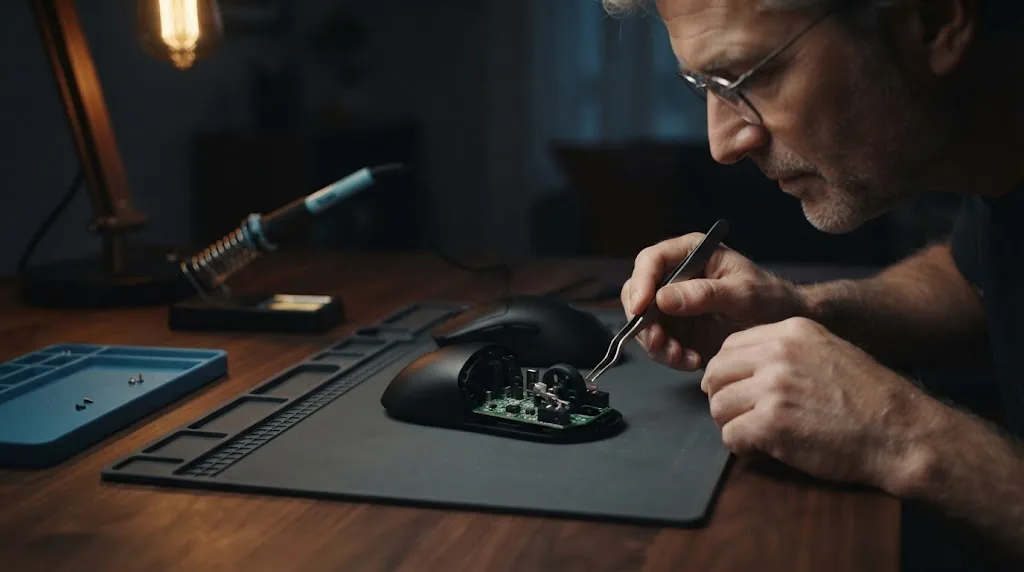
Over time, the contacts wear and oxidize and the spring weakens, so the bounce lasts longer. Once it outlasts the filter in the mouse firmware, the PC sees two clicks. That's why the fault tends to show up after months or years of heavy use, and most often on the left button, the one you press most.
Debounce time: the delay that hides the bounce
Debounce is the window during which the mouse ignores extra signals after the first one. A longer window hides more bounce but adds delay.
That delay can be bigger than people assume. Igor's Lab measured end-to-end click latency with an LDAT (NVIDIA's latency analyzer) on the Hator Quasar 3S Ultima 8K, which uses optical switches. At 1,000 Hz polling, the mouse averaged 19.1 ms with an 8 ms debounce setting and 11.4 ms at 0 ms debounce. The 8 ms value was a Bluetooth preset that had stayed on during the USB runs, which is exactly the kind of setting most owners never check. In the same review, going from 1,000 Hz to 8,000 Hz at a 1 ms debounce only moved the result from 12.3 ms to 11.7 ms. On that mouse, debounce mattered more than polling rate.
What actually matters: on a double-clicking mechanical mouse, raising debounce is a legitimate fix that costs a few milliseconds. With optical or analog switches, 0 ms is usually safe.
Optical switches: no metal contact to wear
An optical switch registers a click when the button's plunger blocks or unblocks a beam of infrared light. No contacts touch, so there's no bounce and nothing to oxidize. Corsair's Computex 2026 announcement for the Nightsword v2 Wireless SD, for example, says its optical switches "register with zero debounce delay."
Do optical switches double-click? Not from contact bounce. They can still fail through a weak spring, debris in the beam path or a loose button shell. Owners on Razer's Insider forum have reported a Viper V4 Pro left button that "started feeling loose" after about five days (October 11, 2026) and left and right clicks not registering on a brand-new unit (June 9, 2026). Those are individual reports, not a reliability trend.
Hall effect, magnetic and inductive switches: not the same thing
US searches for "hall effect mouse" went from about 140 a month in October 2025 to about 1,000 in September 2026, according to Google Keyword Planner. The volume is still small, and a lot of what people find under that term isn't Hall effect at all. Here's how the switch families differ.
Hall effect (magnetic)
A magnet moves with the button, and a Hall sensor measures how strong its magnetic field is. The closer the magnet, the stronger the reading, so the mouse knows exactly how far the button has traveled, not just whether it's pressed. That's what makes adjustable actuation (choosing how deep the click registers) and rapid trigger possible.
What a Hall effect mouse is not: it has nothing to do with the tracking sensor (still optical), and it doesn't guarantee faster clicks. Real products are still few. Keychron's G6 HE uses what Keychron calls a MagOptic switch, which "combines optical and magnetic sensing," with adjustable actuation and rapid trigger; XiaomiToday describes it as a hybrid Hall effect and optical switch. It's a pre-order: keychron.com listed it at a regular price of $89.99 on October 25, 2026, with the first batch expected to ship in mid-November and the second in late November. Ninjutso's Sora HE has leaked with Hall effect switches but hadn't been officially announced as of July 31, 2026.
Inductive (Logitech HITS)
Logitech's G Pro X2 Superstrike (launched February 10, 2026 at $179.99, per PCWorld) and G Pro X3 Superstrike (announced September 23, 2026 at a $199.99 MSRP, per Notebookcheck) use HITS, the Haptic Inductive Trigger System. Logitech says it replaces traditional microswitches "with Inductive, analogue sensing." Club386 describes the principle as an electromagnetic coil measuring exactly how far you push the button. It's contactless and analog like Hall effect, but it isn't a Hall sensor. Because there's no physical snap, a small haptic motor simulates the click, and its strength is adjustable. Igor's Lab lists ten actuation levels and five rapid trigger reset points, and Logitech's support page confirms the five rapid trigger steps.
Optical
Most optical mouse switches are on/off: the beam is either blocked or not. They remove contact bounce but typically don't offer adjustable actuation.
Rapid trigger on a mouse: who should avoid it
Rapid trigger resets the click as soon as the button rises a set distance, instead of waiting for it to travel back past a fixed point. KitGuru notes that aggressive settings make spam-clicking semi-auto weapons very fast.
The main catch is accidental input. Tom's Guide's X3 reviewer reported unwanted clicks leading to accidental shots in Counter-Strike 2 with adjustable actuation, though he says he got used to the extra sensitivity fast.
Skip rapid trigger, or keep actuation near the default, if you rest your fingers heavily on the buttons, pre-load the click before a shot, play games where a stray click is costly, or switch between several mice and want the feel to stay the same. As of October 25, 2026, the research behind this page found no published tournament rule on mouse rapid trigger. If you play in a league, check its rules before relying on it.
Durability ratings and what actually breaks
Click ratings are manufacturer claims. Corsair says the Nightsword v2 Wireless SD's switches are "rated for up to 100 million clicks," and Keychron lists a 100M "click lifespan target" for the G6 HE. We found no independent test that verifies either figure, and both describe the switch alone, not the shell, wheel or battery.
Contactless switches remove one failure, not all of them. Reports collected for this page include loose or wobbly buttons, rattling shells (a G Pro Superlight owner on VLR.gg after six months) and scroll wheel noise. Side buttons often still use conventional switches even when the main clicks don't (check the spec sheet), so MMO mice with many side switches have more parts that can wear, whatever the main clicks use. Repairability is a better long-term signal than a click rating.
Mechanical vs optical vs magnetic vs inductive: side by side
| Mechanical | Optical | Hall effect / magnetic | Inductive (Logitech HITS) | |
|---|---|---|---|---|
| How it detects a click | Metal contacts touch | Light beam blocked | Magnet's field strength | Metal part changes a coil's field |
| Contact bounce / double-click from wear | Yes, the classic cause | No | No | No |
| Needs debounce delay | Yes | Typically no | No | No |
| Adjustable actuation / rapid trigger | No | Typically no | Yes | Yes (10 actuation, 5 rapid trigger levels) |
| Click feel | Physical snap | Physical snap | Depends on design | Simulated by haptic motor, adjustable |
| Measured click latency | Depends mostly on debounce setting | Low when debounce is 0 ms | Little independent data yet | 0.12 to 0.31 ms average at 1,000 Hz (Club386, OSLTT); early actuation not measured |
Click latency and wireless latency are separate delays, and a fast switch doesn't make up for a slow link. Our guide to click latency vs wireless latency covers the connection side.
Which switch type to buy
- Had a mouse die from double-clicking? Make optical switches your floor for main clicks. They remove the most common failure.
- Want adjustable actuation or rapid trigger? That's the only real reason to pay for Hall effect or inductive switches today.
- Prefer a mechanical click feel? Mechanical is fine. Look for a mouse with a debounce setting and a brand with clear repair or parts support.
- Don't buy on the spec sheet alone. Click ratings and "fastest" claims are marketing until someone measures them. Here's what a mouse spec sheet is worth when you compare models.
- Check the shape first. No switch type fixes a mouse that doesn't fit your hand.
FAQ
Why is my mouse double clicking?
Usually a worn mechanical switch: its contacts bounce longer than the firmware filters, so one press registers as two. Less often, it's a Windows setting or a connection problem.
How do I fix a mouse that double clicks?
Check Windows settings, try another port and PC, raise debounce, clean the button, then claim the warranty or repair.
Do optical switches double click?
Not from contact bounce, which is the usual cause, because they have no metal contacts. A button can still misbehave from a worn spring, debris or a loose shell.
What is a Hall effect mouse?
A mouse whose buttons use a magnet and a Hall sensor to measure how far each button is pressed. That allows adjustable actuation and rapid trigger. Logitech's Superstrike isn't one: it's inductive.
What is debounce time on a mouse?
The short window in which the mouse ignores extra signals after a click, to hide mechanical contact bounce. Longer debounce prevents double-clicks but adds click delay.
Are optical or mechanical mouse switches better?
For durability, optical, because they avoid the main double-click failure and don't need debounce delay. For click feel, it's personal preference.
Is double-clicking covered by warranty?
Within the warranty period, a switch that registers one press as two is a hardware fault, and brands usually handle it under warranty, but terms vary by brand and region. Check the support page before opening the mouse.
Sources and Methodology
RigGrade is a research-backed publisher, not a testing lab, and we didn't test these mice or switches ourselves. This guide cross-checks manufacturer documentation against independent measurements and long-term reviews, and labels user reports as individual reports. Prices are launch MSRPs from the cited sources unless a date and site are given. All sources were accessed on October 25, 2026.
- Logitech, PRO X2 SUPERSTRIKE launch blog, February 10, 2026: logitech.com
- Logitech, repair parts with iFixit press release, January 23, 2025: news.logitech.com
- Logitech Support, adjusting rapid trigger on PRO X2 SUPERSTRIKE (undated): support.logi.com
- PCWorld, Logitech's Pro X2 Superstrike launch article ($179.99), February 10, 2026: pcworld.com
- Igor's Lab, Logitech Pro X2 Superstrike, electromagnetic induction replaces the mechanical click, 2026 (no publication date shown): igorslab.de
- Igor's Lab, Hator Quasar 3S Ultima 8K and Quasar 3 Ultima 8K review, page 4, 2026 (no publication date shown; price table dated May 14, 2026):igorslab.de
- KitGuru, Logitech G Pro X2 Superstrike review, three months later, August 19, 2026: kitguru.net
- Tom's Guide, Logitech G Pro X3 Superstrike review, October 9, 2026: tomsguide.com
- Club386, Logitech G Pro X3 Superstrike review, September 23, 2026: club386.com
- Notebookcheck, Logitech G Pro X3 Superstrike launch, September 23, 2026: notebookcheck.net
- Corsair, Computex 2026 announcement (Nightsword v2 Wireless SD), June 2, 2026: corsair-newsroom.prgloo.com
- Keychron, G6 HE product page, accessed October 25, 2026: keychron.com
- XiaomiToday, Keychron G6 HE pre-order, October 8, 2026: xiaomitoday.com
- XiaomiToday, Ninjutso Sora HE and Ten Air Pro leak, July 31, 2026: xiaomitoday.com
- Razer Insider, Viper V4 Pro loose left button, October 11, 2026: insider.razer.com
- Razer Insider, brand-new Viper V4 Pro clicks not registering, June 9, 2026: insider.razer.com
- VLR.gg, "Best Mouse?" thread (Superlight rattle report), about 2025: vlr.gg
- Google Keyword Planner, US search volume for "hall effect mouse," export of October 25, 2026 (internal data, no public URL)